




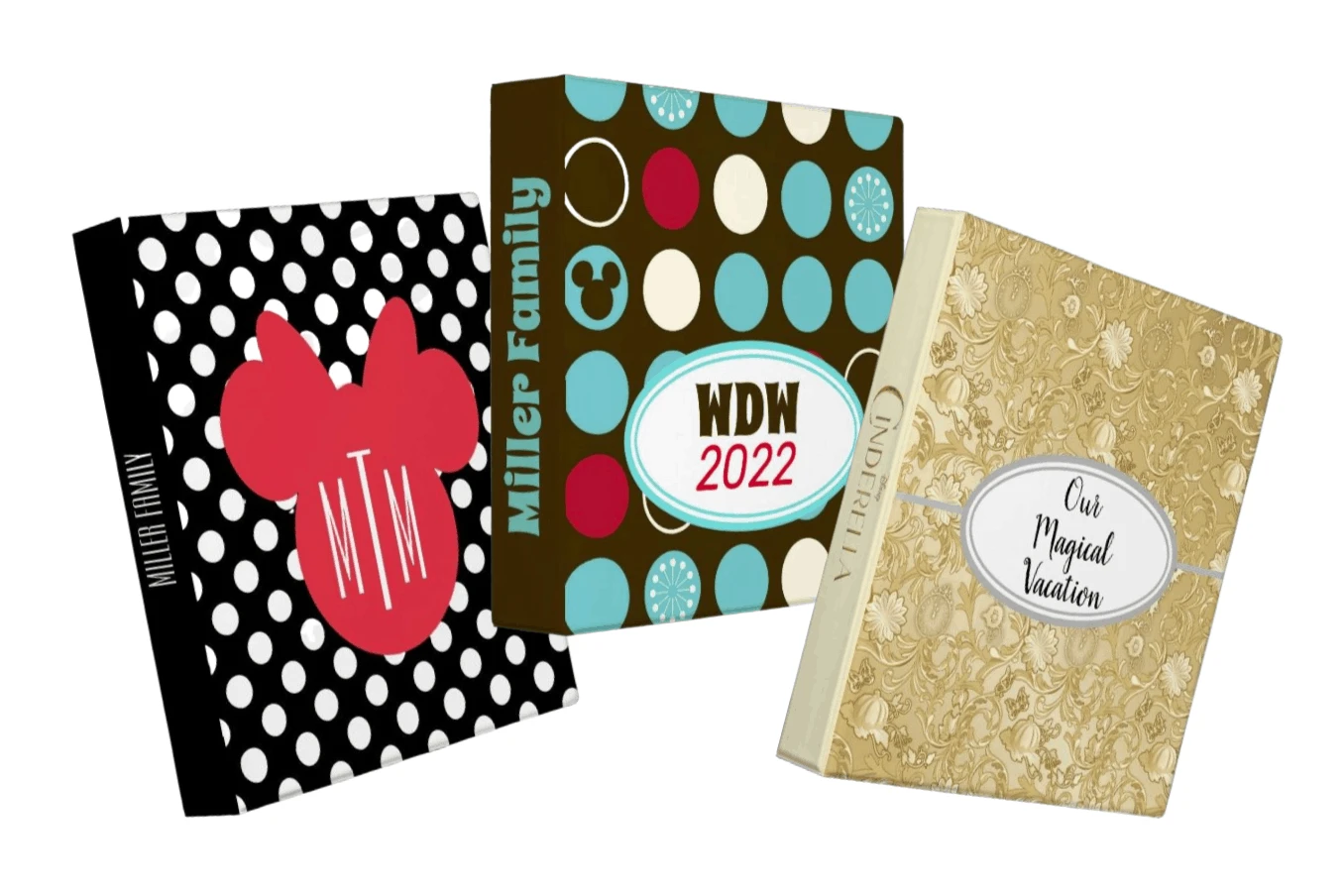
No destination is quite as difficult (or as fun) to plan as Disney World. That’s why it can be very helpful to have a planning binder full of info and printables to keep you organized.
And now with nearly every guest traveling with smartphones, there’s more ways than ever to keep all that important Disney info at your fingertips.
Below, we cover all the important things you should consider for your own Disney World binder and links to downloads that you can use to create your own.
Let’s get started…
Disney World Binder
First things first – are you a paper or digital kind of person?
Most people are a mixture of both when it comes to something big like vacation planning. In all likelihood you’ll fall into this category, too.
Let’s start with setting up a system for paper:
Step 1: Get organized
To get started, you’ll need a binder and at least 8 tabs.
The 8 tabs are labeled:
- General Info
- Hotel
- Dining
- Magic Kingdom
- Epcot
- Hollywood Studios
- Animal Kingdom
- Everything Else
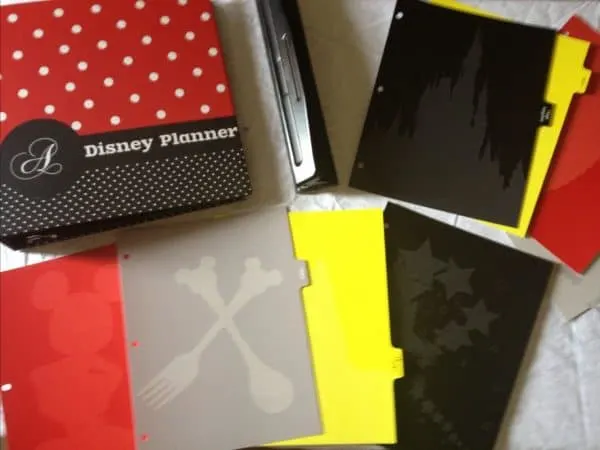
Customize it
The company that we used to order our original binder and tabs is no longer available.
However, Disney’s Zazzle store also has hundreds of cute binders that can even be personalized (and they cost about 1/4 of what our original one cost).
To get a Zazzle Disney World binder that feels a lot like the one photographed above does, we recommend doing these things:
- Order the 2 inch option
- Choose black for the inside color if it coordinates with the design better than white
- Customize it, including uploading an image that can be used on the front cover
Note: Zazzle won’t allow you to use the phrase “Disney World” on your design anymore, but we’d suggest “WDW” along with some other text (such as “WDW trip”) as an alternative that they will allow.
Easy customization ideas
You can use the Zazzle binders “as is” but for even more fun, you can customize them a bit by adding labels.
You can even upload your own like we did with this one: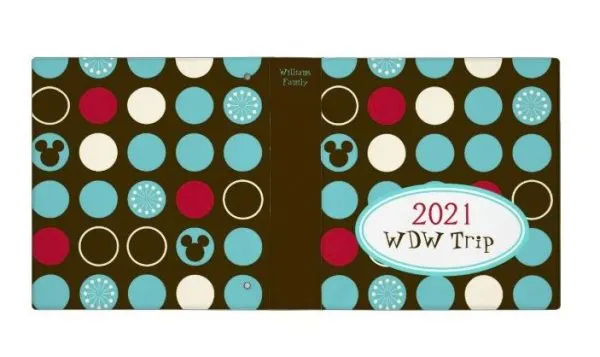
You can find all sorts of free “labels” to add on the internet, but here are a few of our favorites.
To use, download the images below by right-clicking and choosing “save image as”.
Then, when you’re customizing in Zazzle you can simply upload them there to add to your masterpiece.


There are literally hundreds of combinations for you to choose from.
Note: If items are purchased by clicking on one of the Zazzle links above, Zazzle will send me a referral fee.
Have an empty binder at home?
You can customize that, too.
Websites like Canva.com make it easy to create customized covers for binders. They have tons of templates and free fonts and clipart options.
Plus, just like with Zazzle, you can upload your own images and clipart to use.
Tabs
The company that we originally used for customized tabs is no longer around, but any tabs will do.
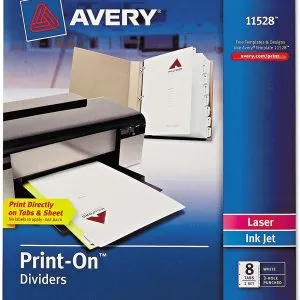
If you want a more customized look, you can even purchase tabs that you can print on at home, like these dividers on Amazon (this is an affiliate link):
Creating a digital Disney World binder
As we mentioned above, there will likely be some people that prefer a digital version of a planning binder. OR, if you’re like us, prefer to have some things in paper and some digitally.
But just like with a physical binder, you’ll want to keep all your details organized.
There’s lots of popular apps that can help you do that.
We highly recommend you use something that you can access both on a computer and on a phone.
2 of the easiest-to-use ones that we’ve found for planning are Trello and Evernote.
Both are simple to use even if you’ve never tried them before.
Watch the video for details on how to use Evernote to create a digital binder.
Tip: If you prefer to go all digital, we still recommend that you consider back-up copies for important travel documents (like reservations) and that you store digital copies of important information on your device and NOT just in a cloud-based server. That way you’ll have the most important stuff if your device battery dies OR if you don’t have cellular access for some reason.
Now that you’ve got that stuff set up, let’s get started building!
Take a look at each section below for ideas on what to put in your Disney World binder…
Tab 1: General Info Downloads
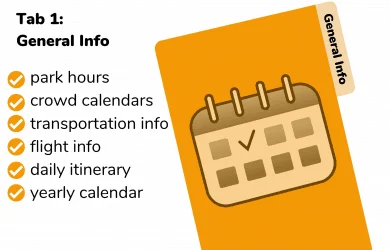
Since this section covers a lot of stuff, the general information tab will likely be one of the largest of your entire binder.
Things to include:
- Yearly or monthly blank calendars
- Park hours and crowd calendars (with recommended parks)
- Transportation information
- Flight information (including airport maps)
- Daily itinerary
- WDW Resort area maps
Blank Calendar
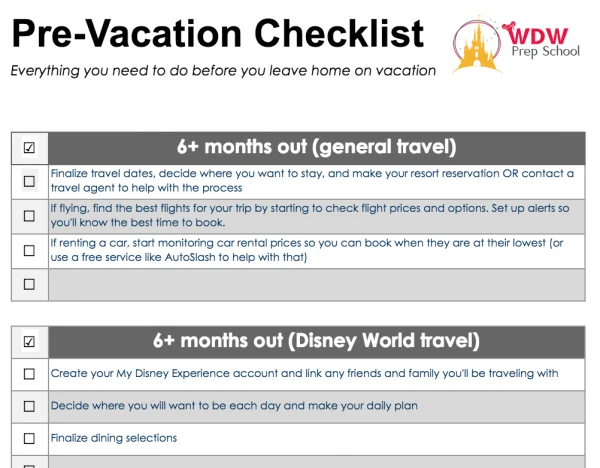
Our favorite place to start is with a blank calendar since it can be very handy when you’re trying to figure out the best dates to travel.
Plus they can be a great place to add reminders about when you can make dining and FastPass+ reservations, etc..
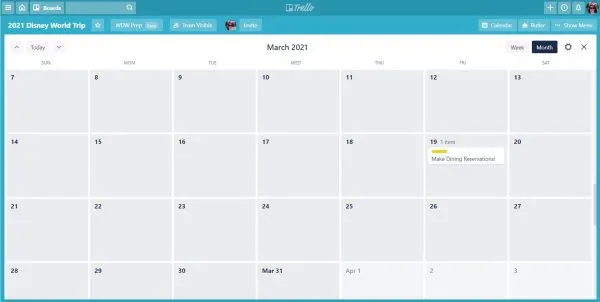
Digital binder option: Apps like Google Calendar and iCalendar are a great place to store information. Both Trello and Evernote offer calendar integration features as well.
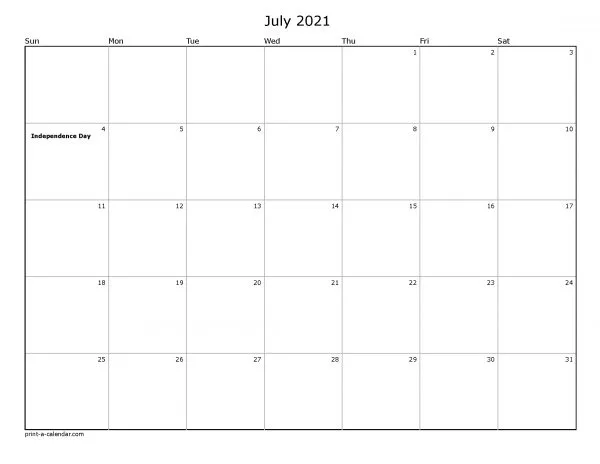
If you’re printing a blank calendar off, our preferred method is to print off our iCalendar or Google Calendars (because we regularly use them so they already have important dates in there) but if you don’t use them you can generate free blank calendars on websites like Print-A-Calendar.
Park Hours and Crowd Calendars
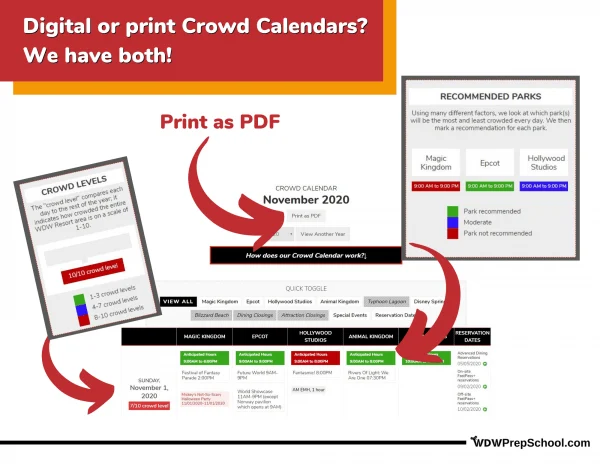
Lots of factors play into daily park crowd levels, so knowing which ones are recommended means you’ll be able to plan to go to the parks with the lowest attendance.
That means shorter lines, less waiting, and more fun.
We have free and easy-to-use Crowd Calendars to help you know which parks are best for each day of your trip.
- January Crowd Calendar
- February Crowd Calendar
- March Crowd Calendar
- April Crowd Calendar
- May Crowd Calendar
- June Crowd Calendar
- July Crowd Calendar
- August Crowd Calendar
- September Crowd Calendar
- October Crowd Calendar
- November Crowd Calendar
- December Crowd Calendar
One final note about park hours:
Park hours can and do change, so make sure you revisit them regularly before your trip to monitor for updates and then use the My Disney Experience app for the most up-to-date park information when you are actually in the parks.
Transportation information
Transportation covers lots of different things, like:
-
- flight info
- airport parking info
- rental car research
- general maps
- toll booth information (if driving)
- Magical Express info
- airport maps
Digital binder option: Most major airlines offer apps that you can use to store things like boarding passes and most airports have apps as well, but be sure to store digital screenshots of anything important in case you need quick access while in flight (or any other location without cellular or wifi access).
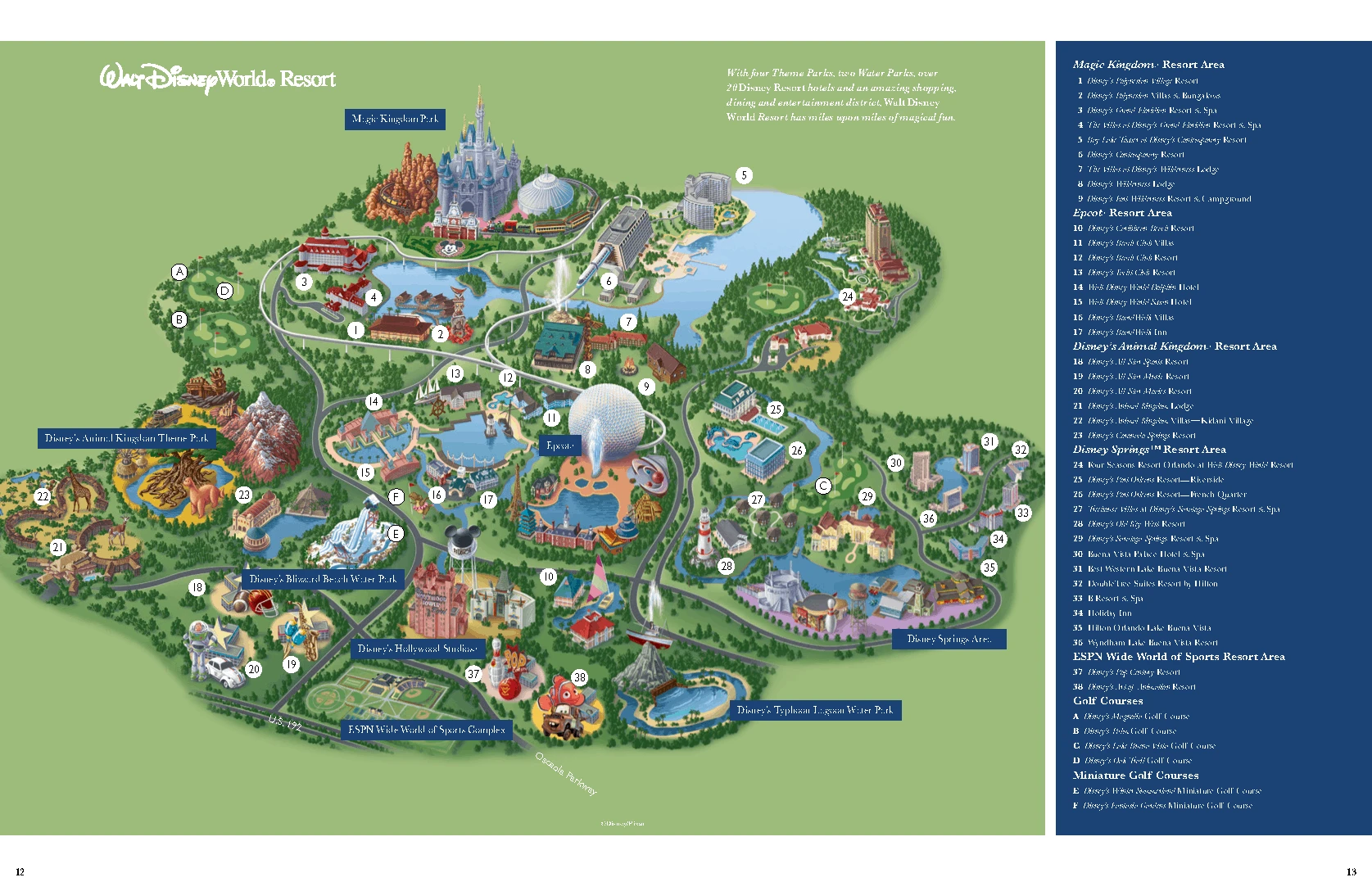
Disney World Resort Area map
The entire Disney World resort area is huge (roughly the size of San Francisco) so having a map showing you exactly where things are located throughout the property can help.
This map is good for general planning:
Download PDF
But for more specific information (especially if you are driving), we recommend something like Google Maps:
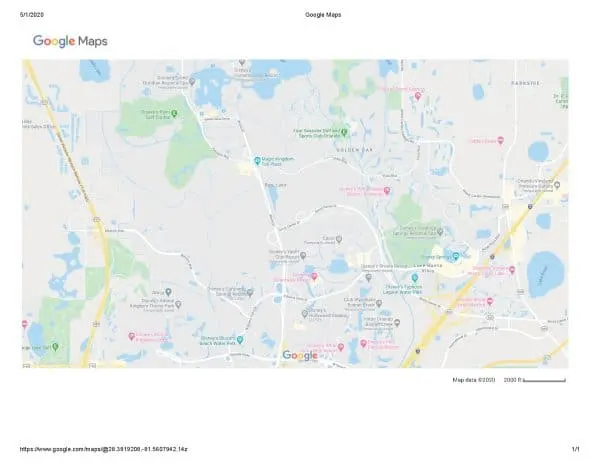
That way you can see exactly where everything is located, plus, if you are driving, you can generate turn-by-turn directions that you can print and save.
Digital binder option: Use Google Maps to generate PDFs to save.
Orlando International Airport Map
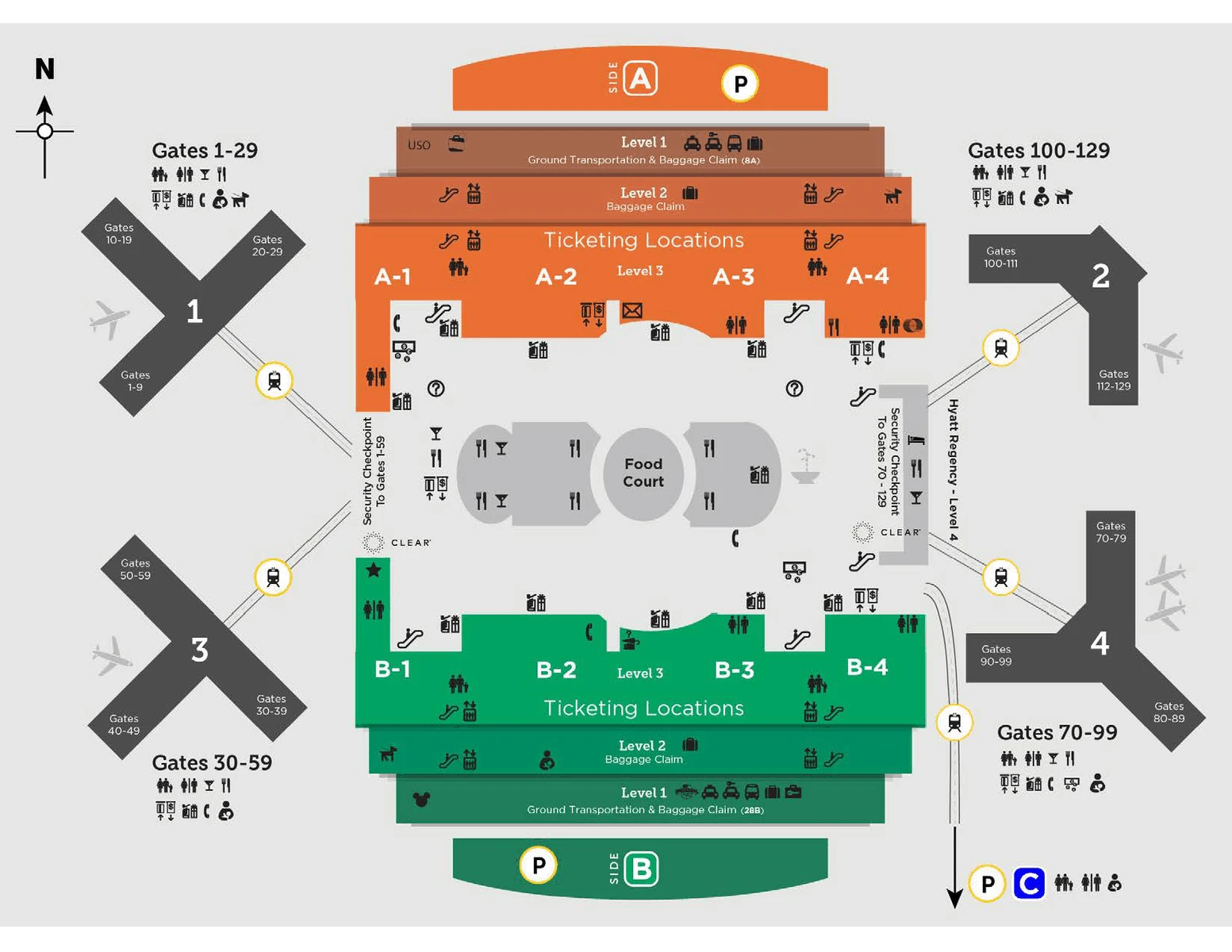
Digital binder option: Save a PDF of the map above to your digital binder and download the MCO App.
Trip Planning Worksheet
You’ll want a place to store your plans for each day of your trip so you can see at-a-glance exactly what you’ll be doing.
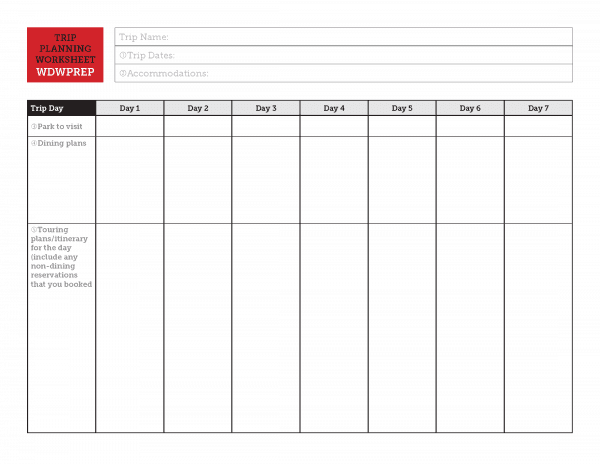
Digital binder option: The PDF can be filled out electronically and saved in your digital binder.
This worksheet goes hand-in-hand with our FREE 64-page Quick Start Guide. Get your copy below. Note: It may take up to 1 hour for the email to arrive to your inbox.
Resort section
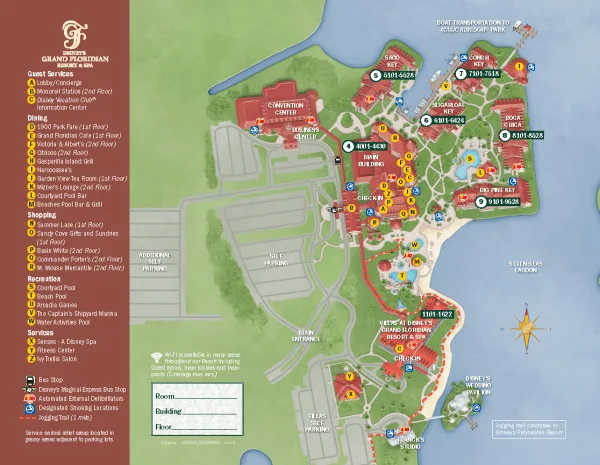
In the resort section of our binder, we put a map of our hotel and things specific to the area.
You may also want to include a general page that includes contact info for your hotel.
Resort address and phone number info
Download PDF
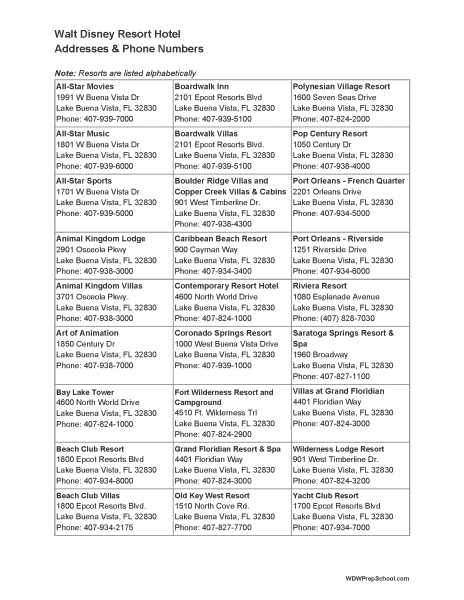
Digital binder option: Save the PDF and add resort contact information to your contacts.
Deluxe/DVC Resorts
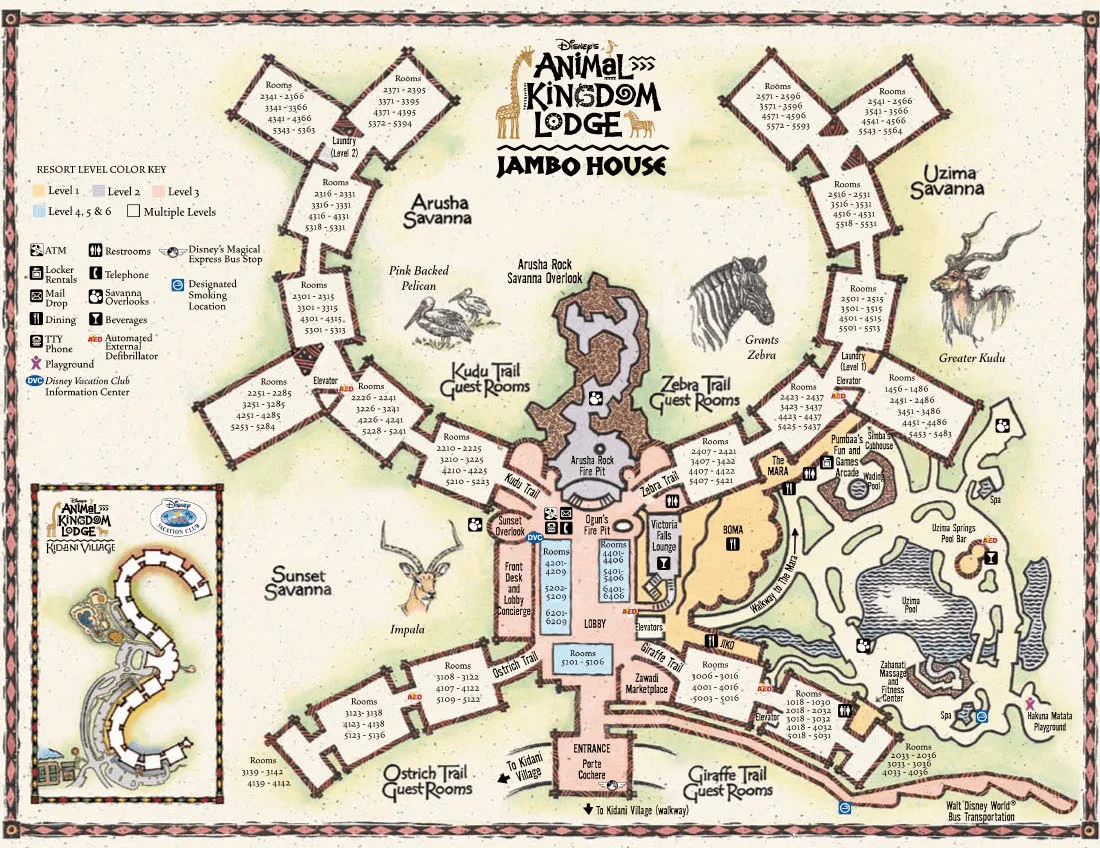
Animal Kingdom Lodge and Animal Kingdom Lodge Villas
Animal Kingdom Lodge – Jambo house resort map
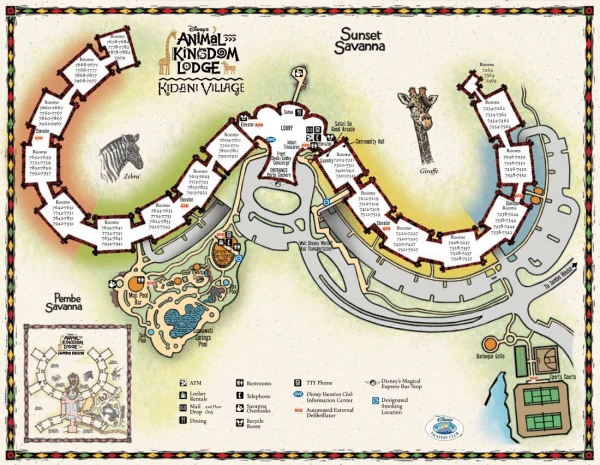
Animal Kingdom Lodge – Kidani village resort maps
BEACH CLUB, BEACH CLUB VILLAS, AND YACHT CLUB
Resort Map
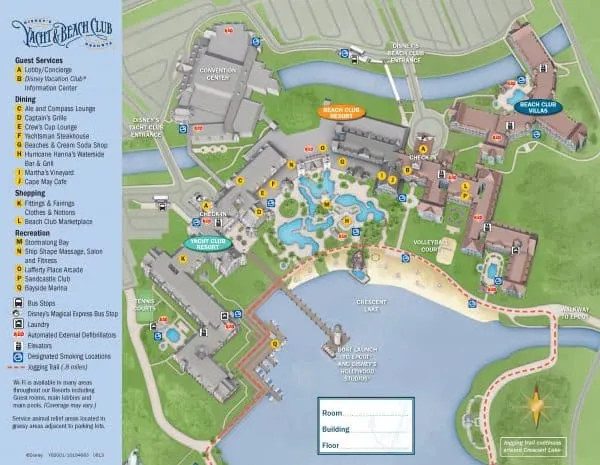
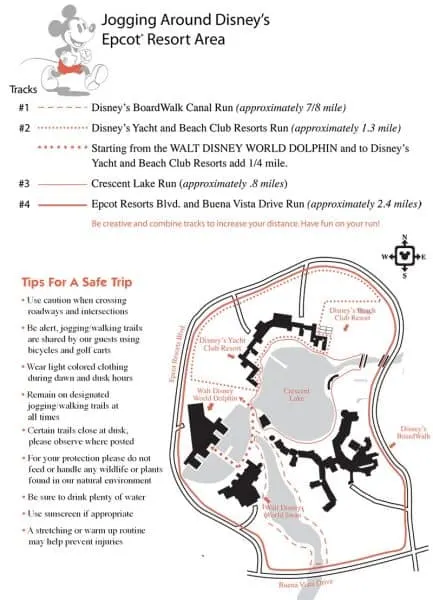
Epcot area jogging path
Boardwalk Inn and Boardwalk Villas
Resort map
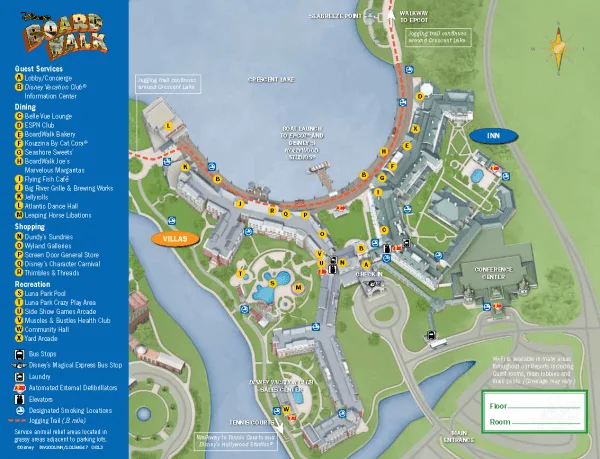
Epcot area jogging path
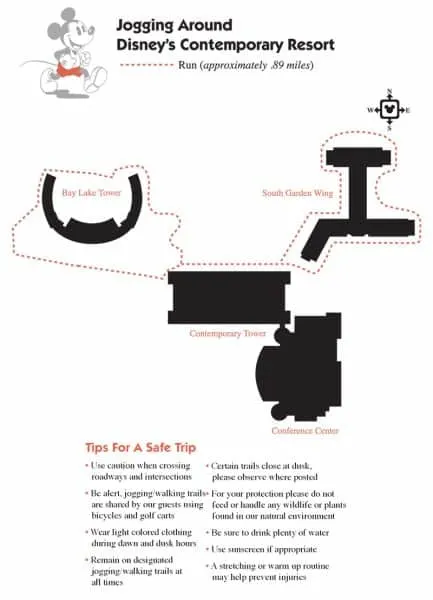
Contemporary Resort & Bay Lake Tower
Resort map
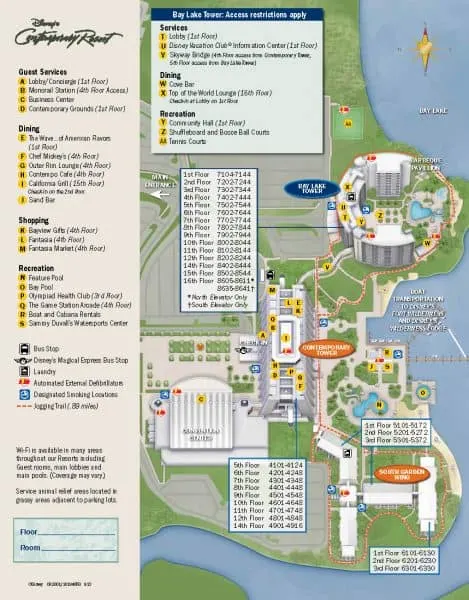
Contemporary Resort jogging path
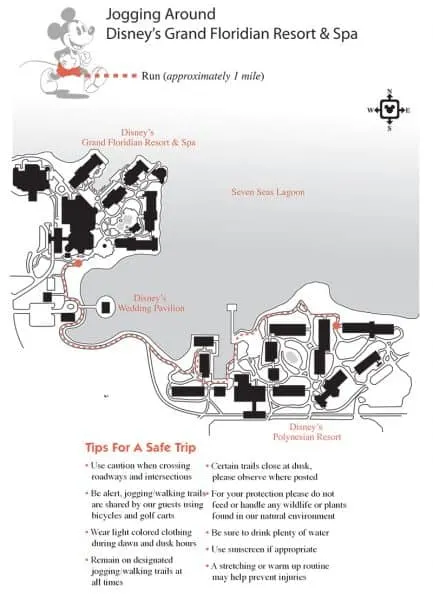
Grand Floridian & Villas at Disney’s Grand Floridian Resort
Resort map
Grand Floridian Jogging Path
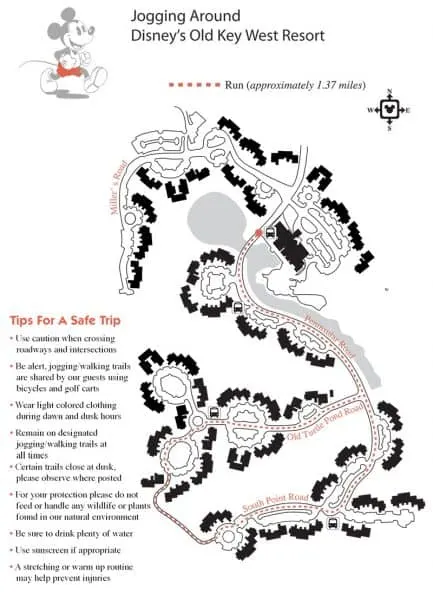
Old Key West Resort
Resort map
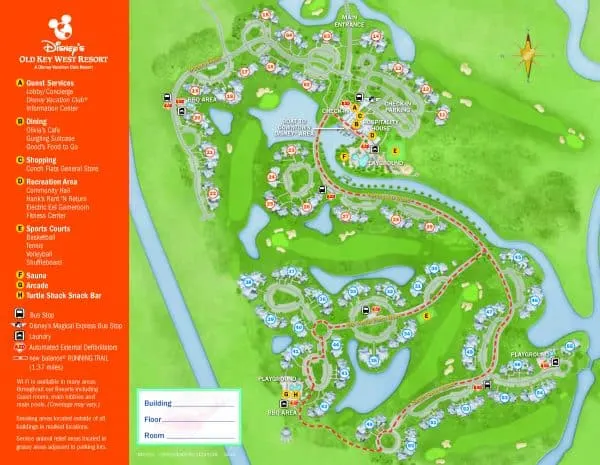
Old Key West Jogging Path
Polynesian Village & Polynesian Villas & Bungalows Resort
Resort Map
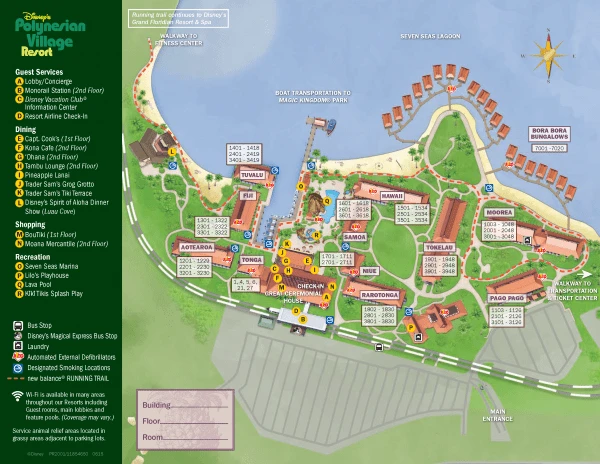
Grand FLoridian & Polynesian Village Jogging Path
Riviera Resort
Resort Map
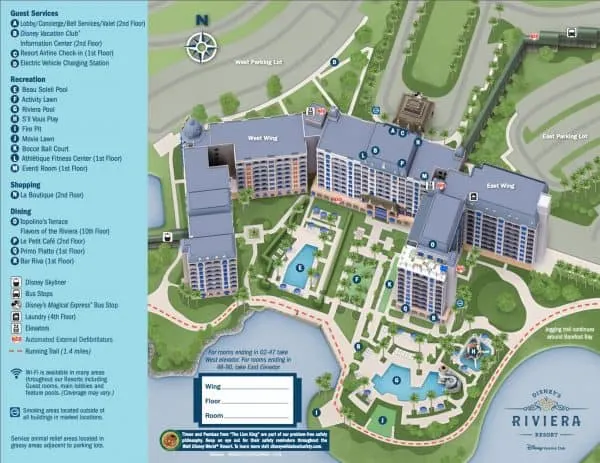
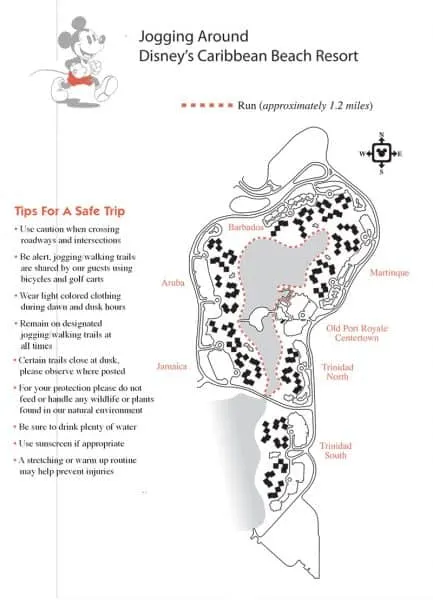
Caribbean Beach and Riviera jogging path
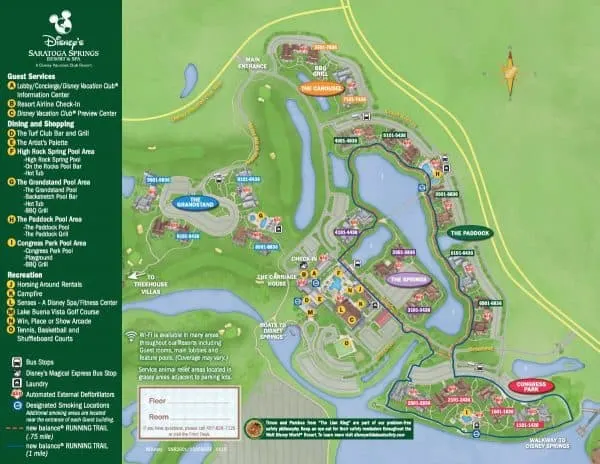
Saratoga Springs Resort
Resort map
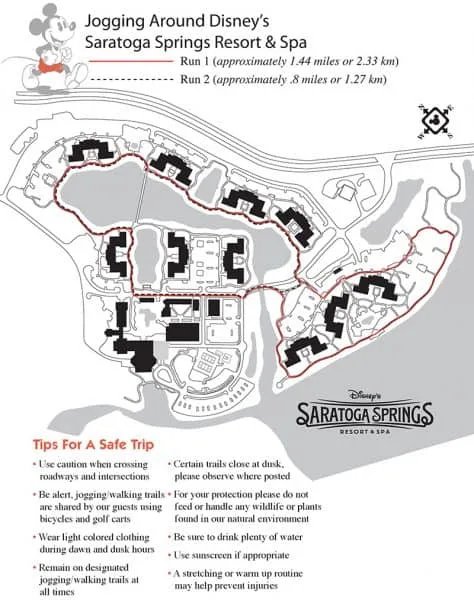
Saratoga Springs Jogging Path
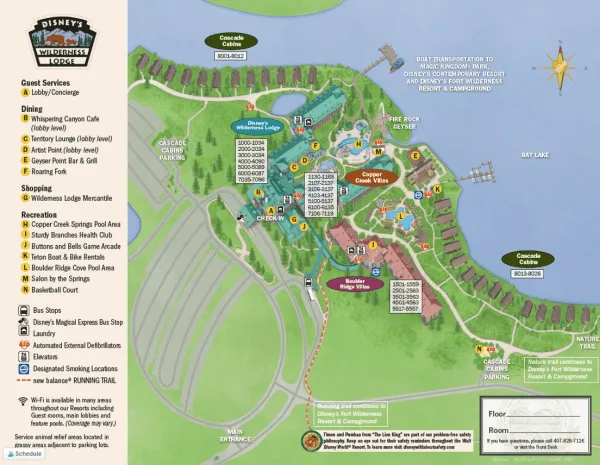
Wilderness Lodge Resort, Boulder Ridge Villas, Copper Creek Villas & Cabins
Resort map
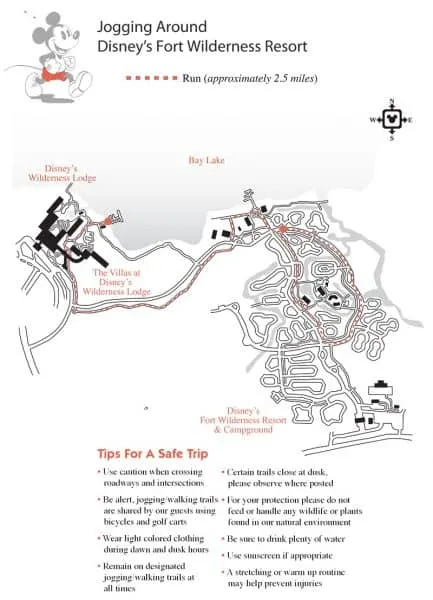
Ft. WIlderness / Wilderness Lodge Jogging Path
Moderate Resorts
Caribbean Beach
Resort Map
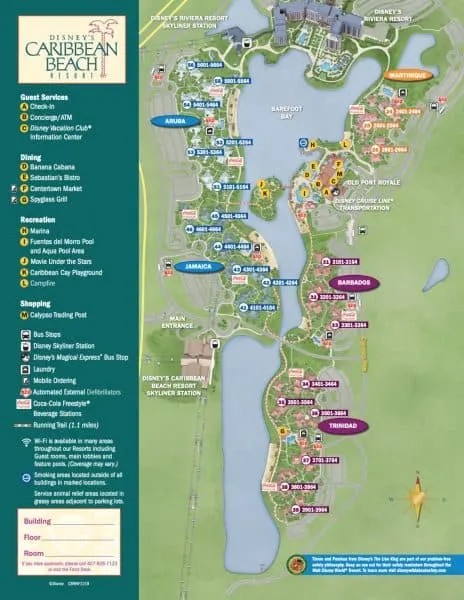
Caribbean Beach Jogging Path
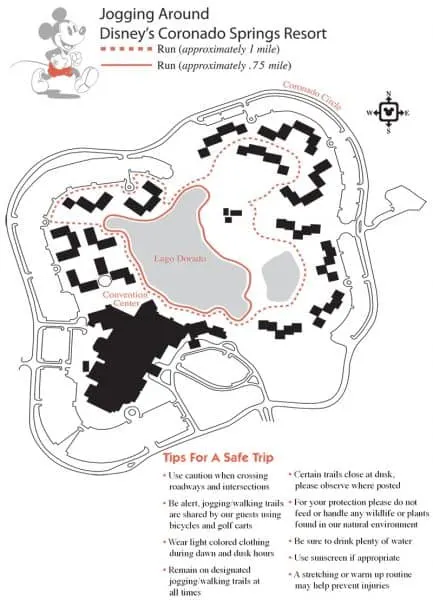
Coronado Springs
Resort Map
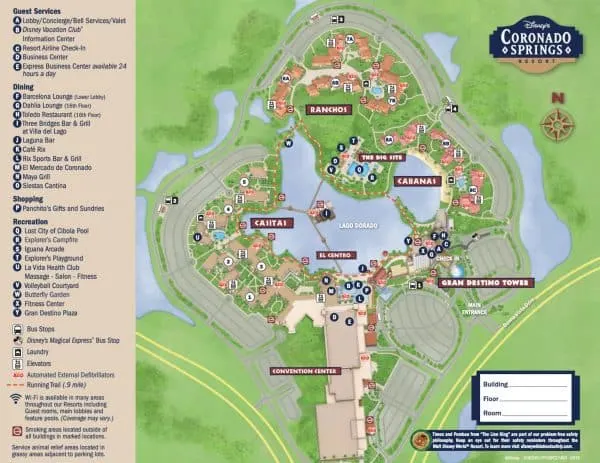
Coronado Springs Jogging Path
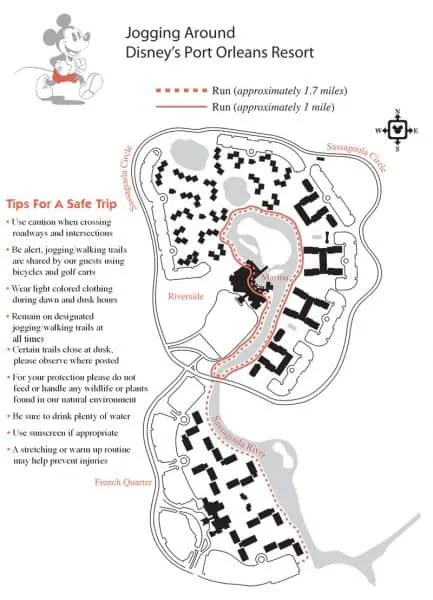
Port Orleans – French Quarter
Resort Map
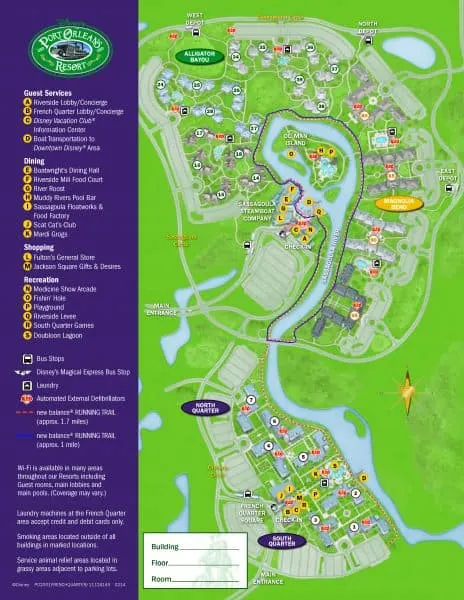
Port Orleans – French Quarter jogging map
Port Orleans – Riverside
Resort Map
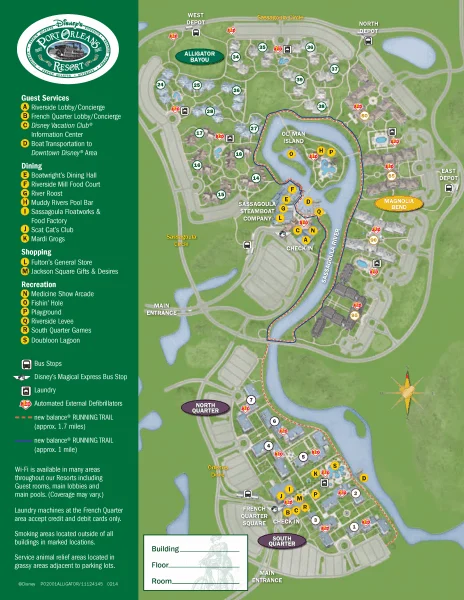
Port Orleans – Riverside Jogging Path
Value Resorts
All-Star Movies
Resort Map
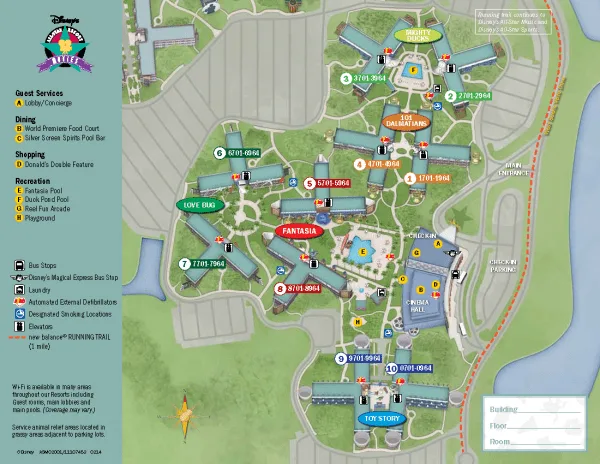
All-Star REsort Jogging Path
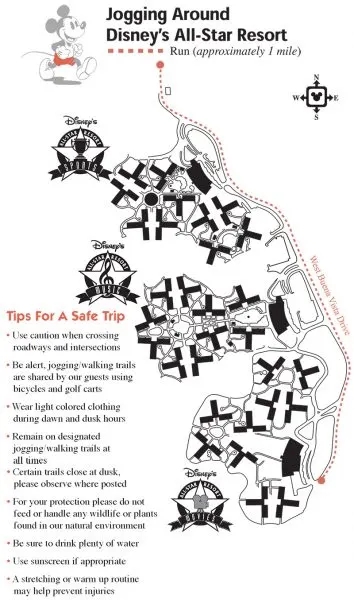
All-Star Music
Resort Map
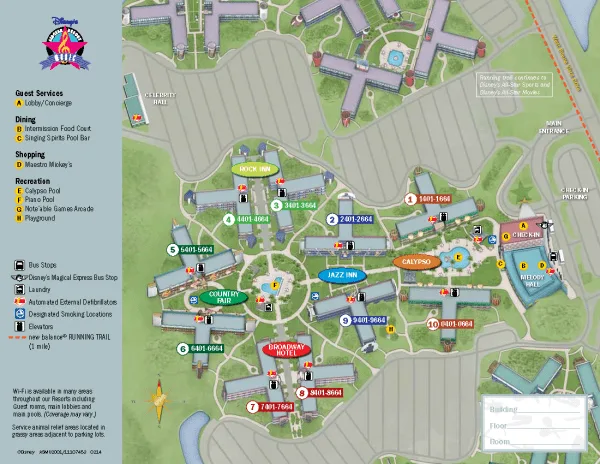
All-Star Resort Jogging Path
All-Star Sports
Resort Map
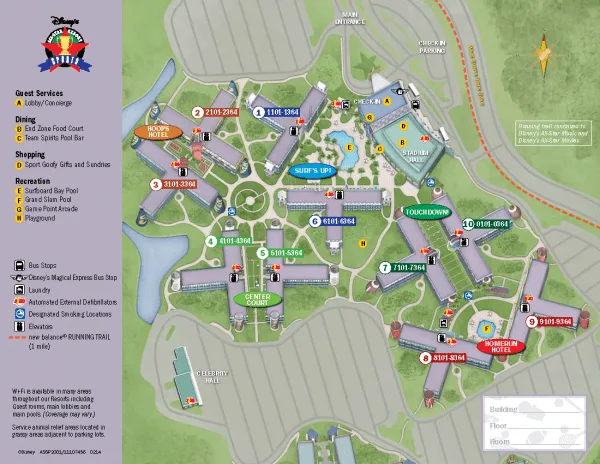
All-Star Resort Jogging Path
Art of Animation
Resort Map
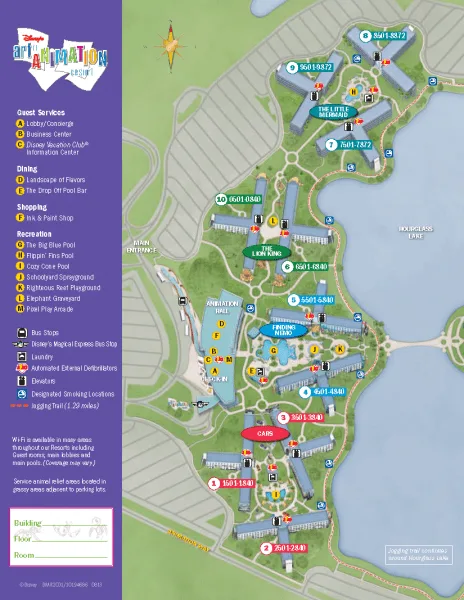
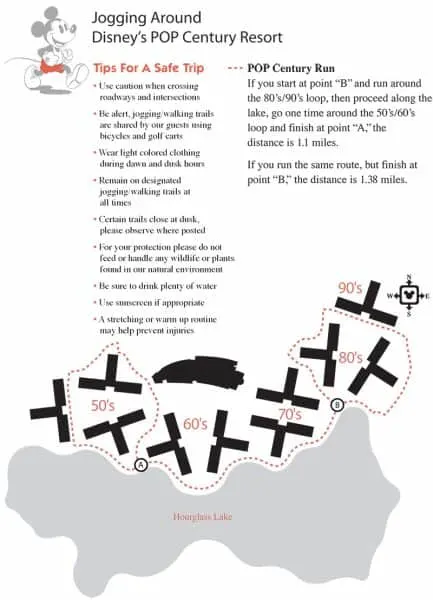
Pop Century
Resort Map
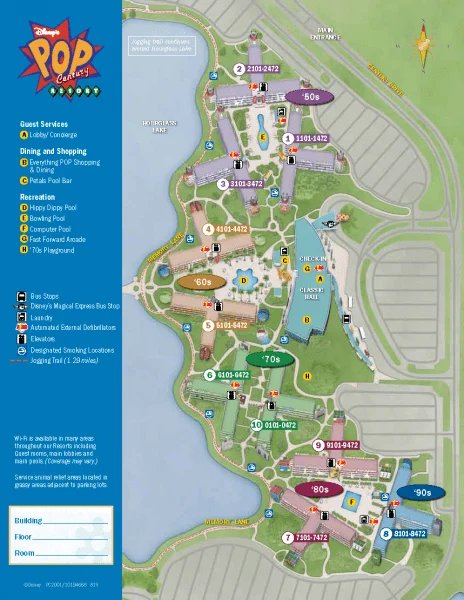
Pop Century Jogging Path
Fort Wilderness Campground
Resort Map
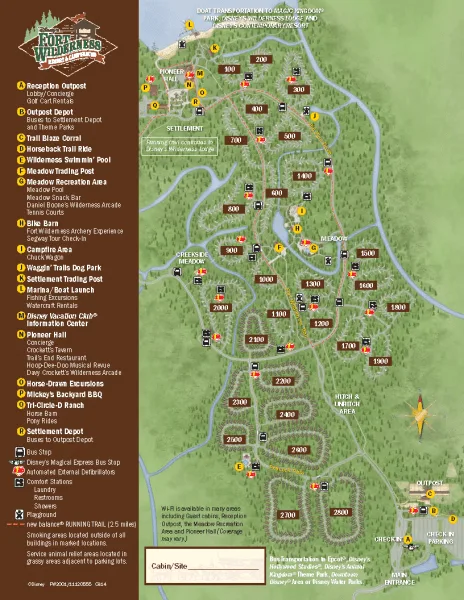
Fort Wilderness Jogging Path
Dining Section
After deciding where we want to eat, we like to print off menus to store in this section so our family has an idea what to expect at each meal.
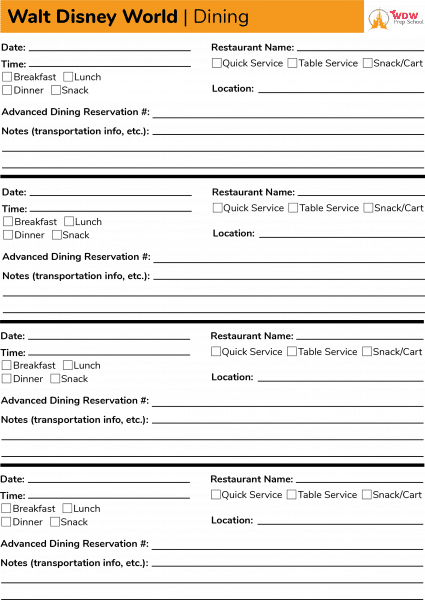
We also keep a 1 page worksheet that summarizes all of our dining locations and includes our ADR numbers, transportation information (especially important if you’re dining at a resort), as well as any other notes you might have.
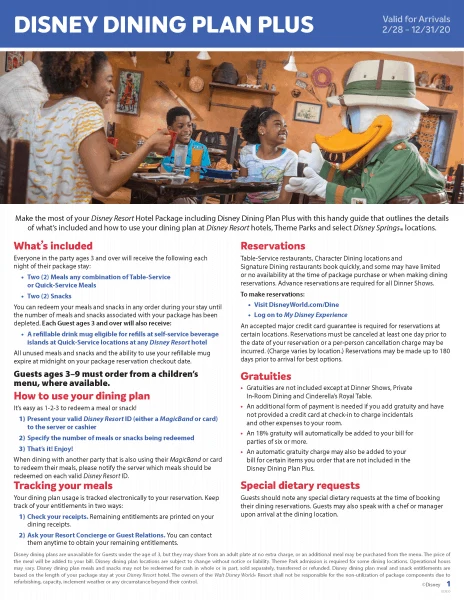
It is also helpful to keep Disney Dining Plan information in this section, as well.
Disney dining planning sheet
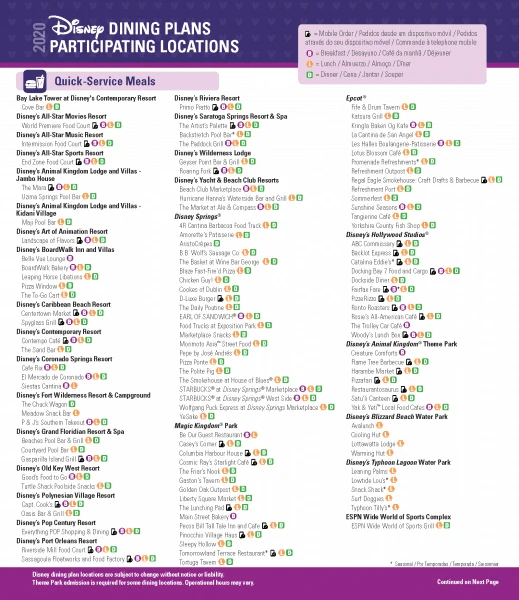
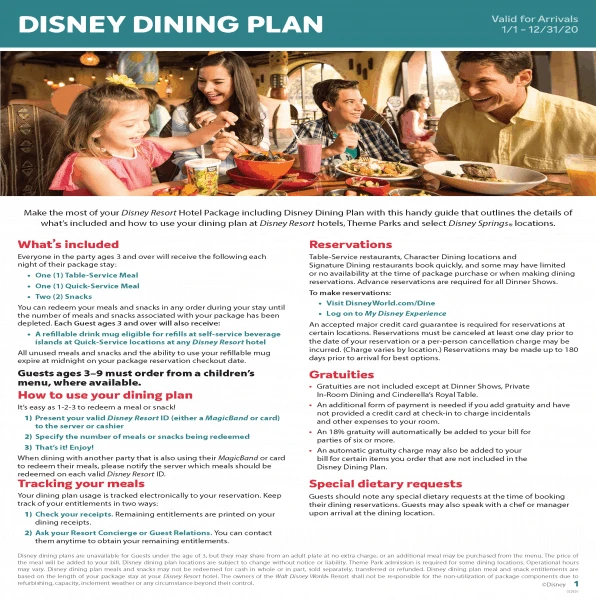
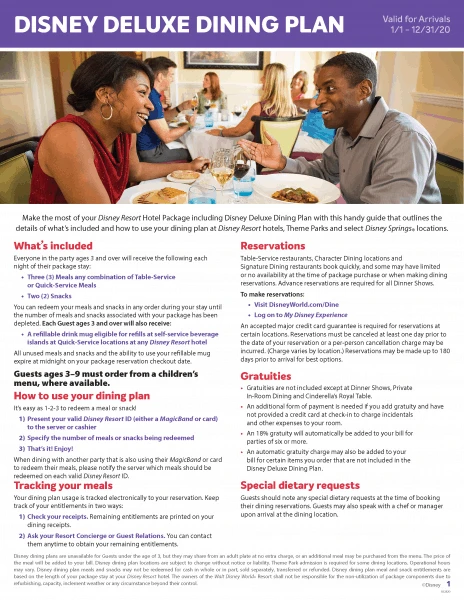
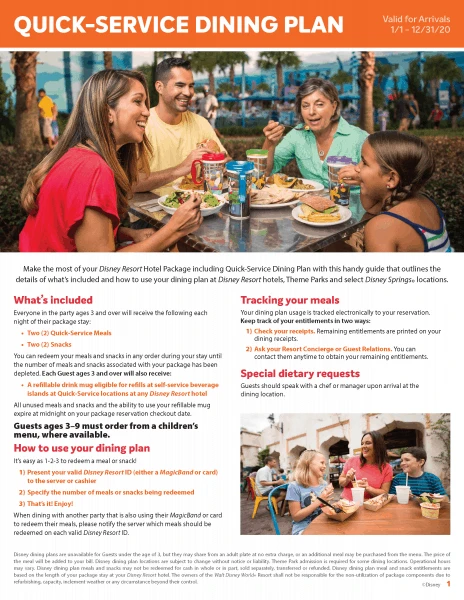
Disney Dining Plan info
Participating Restaurants
Regular Disney Dining Plan
Deluxe Dining Plan
Quick-Service Dining Plan
Disney Dining Plan Plus
Menus
Our favorite spot for menus that are easy-to-print is Allears.net.
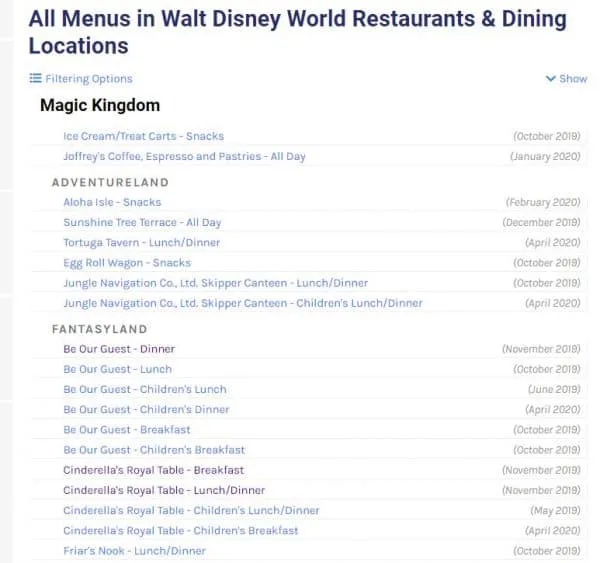
Digital binder option: Save links to restaurants so you always have the most up-to-date information.
Magic Kingdom section
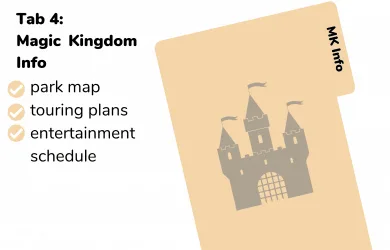
In the Magic Kingdom section, we recommend you keep a park map, touring plans, and entertainment schedules.
Magic Kingdom park map
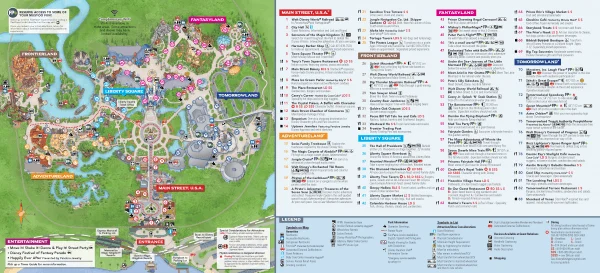
Digital binder option: The My Disney Experience App has a handy map you can use.
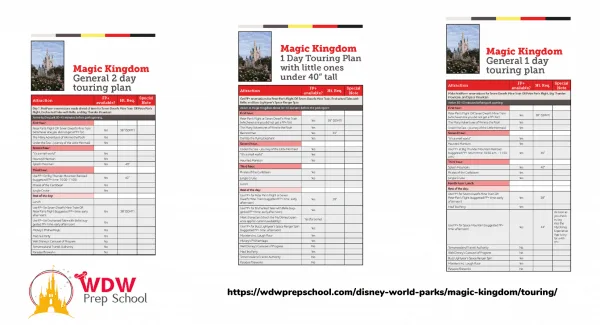
Magic Kingdom touring plans
We have several different touring plans to choose from, including 1 and 2 day plans and plans specifically for toddlers and little ones.
Our free touring plans are updated regularly and posted as downloadable PDFs on our Magic Kingdom Touring Plans page.
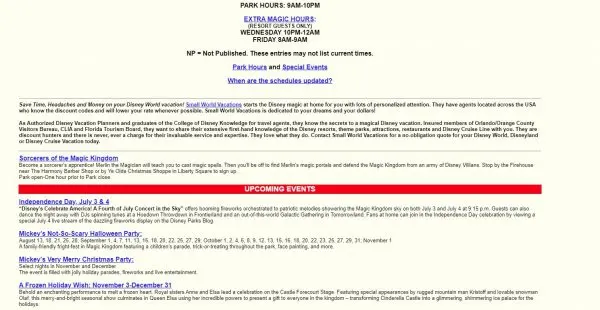
Magic Kingdom entertainment schedule
WDWEnt.com is basically a digital copy of the paper Times Guides you can get in the parks and very handy for advanced planning:
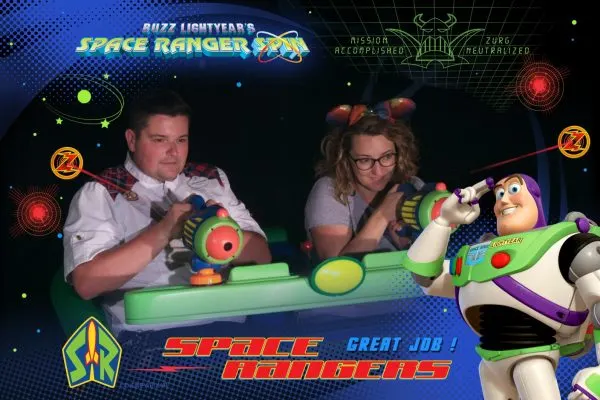
Buzz Lightyear scoring tips
Attractions Magazine has some fantastic tips for maximizing your score on Buzz Lightyear.
Sorcerers of the Magic Kingdom card list
Complete list of all Spell Cards for SOTMK.
Read more about how Sorcerers of the Magic Kingdom works.
Epcot section
In the Epcot section, we recommend you keep a park map, touring plans, and entertainment schedules.
Epcot Park Map
Download PDF
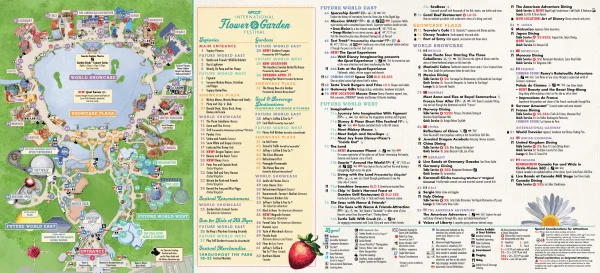
Digital binder option: The My Disney Experience App has a handy map you can use.
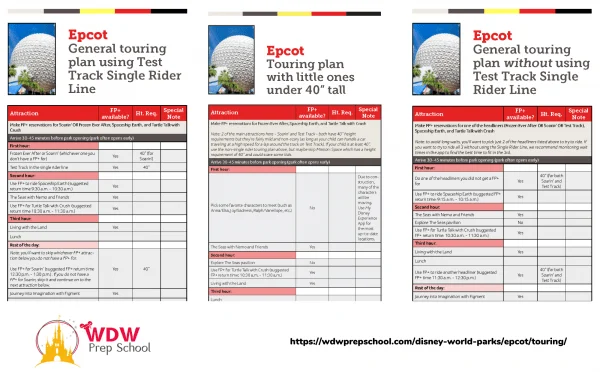
Epcot Touring Plans
We have several different touring plans to choose from, including plans that include the Single Rider Line at Test Track as well as plans specifically for toddlers and little ones.
Our free touring plans are updated regularly and posted as downloadable PDFs on our Epcot touring plans page.
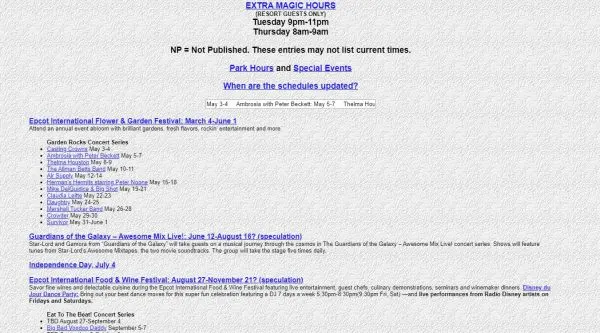
Epcot entertainment schedule
WDWEnt.com is basically a digital copy of the paper Times Guides you can get in the parks and very handy for advanced planning:
Hollywood Studios section
Like the other parks, you’ll definitely want to add park maps and touring plans, but the because there are so many shows here, the entertainment schedule is also especially useful.
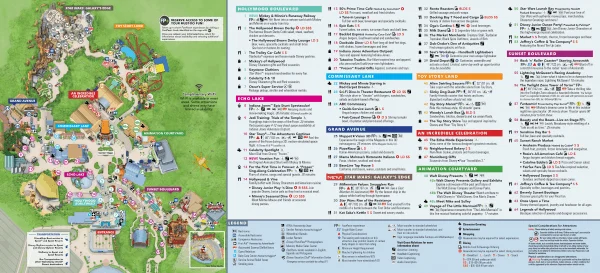
Hollywood Studios park map
Hollywood Studios touring plans
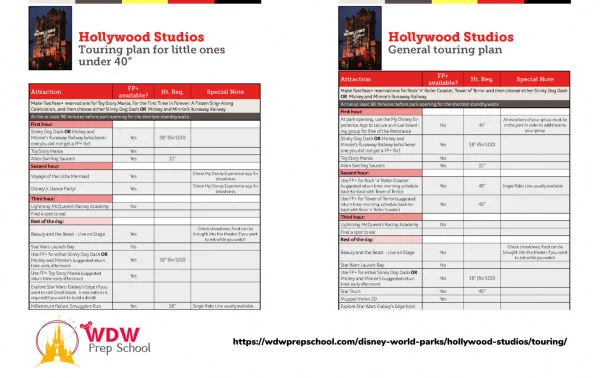
Hollywood Studios touring can be a little tricky because of the popularity of attractions like Rise of the Resistance and Slinky Dog Dash.
Our free touring plans are updated regularly and posted as downloadable PDFs on our Hollywood Studios touring plans page.
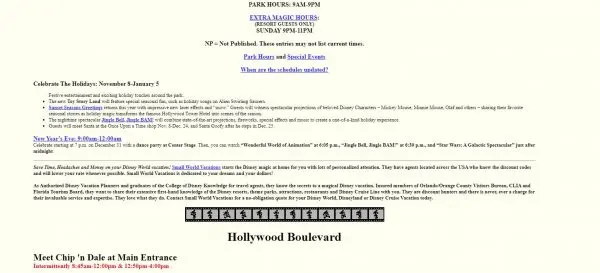
Hollywood Studios entertainment schedule
WDWEnt.com is basically a digital copy of the paper Times Guides you can get in the parks and very handy for advanced planning:
Toy Story Mania scoring tips
DisneyEveryDay.com has a great collection of Toy Story Mania tips that can help you score big.

Animal Kingdom section
For this section, you’ll definitely want to add park maps and touring plans and of course the entertainment schedule.
Animal Kingdom park map
Download PDF
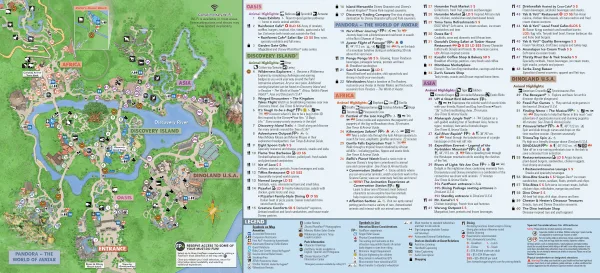
Digital binder option: The My Disney Experience App has a handy map you can use.
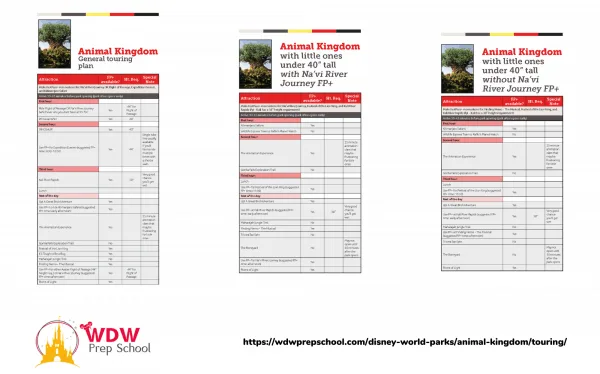
Animal Kingdom touring plans
Animal Kingdom touring can be a little tricky because of the way FastPasses work with the attractions in Pandora.
Our free touring plans are updated regularly and posted as downloadable PDFs on our Animal Kingdom touring plans page.
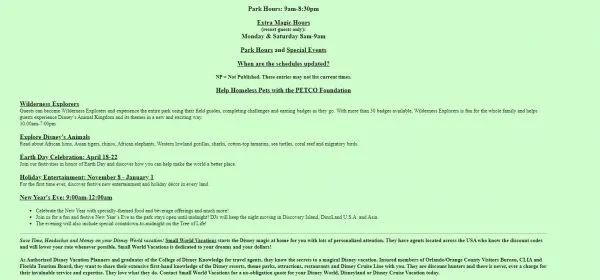
Animal Kingdom entertainment schedule
WDWEnt.com is basically a digital copy of the paper Times Guides you can get in the parks and very handy for advanced planning:
Everything Else section
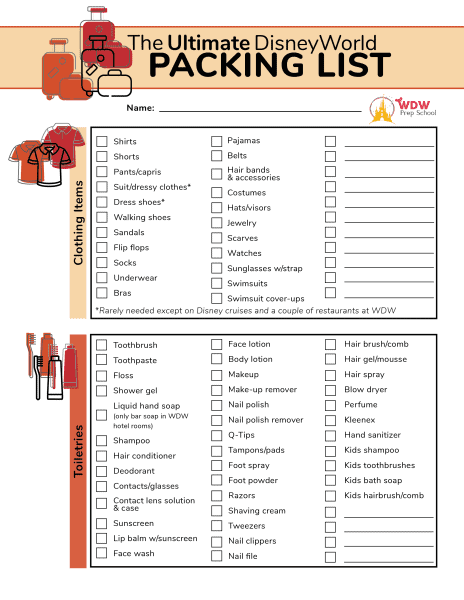
This section includes all of the other miscellaneous stuff that doesn’t get its own section: water parks, Disney Springs, pressed coin info, packing lists, etc.
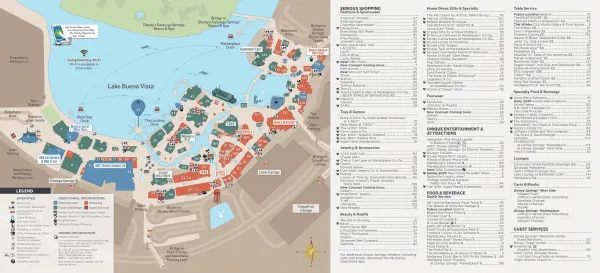
Disney Springs Map
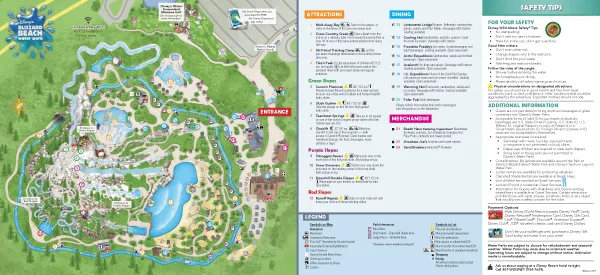
Blizzard Beach Map
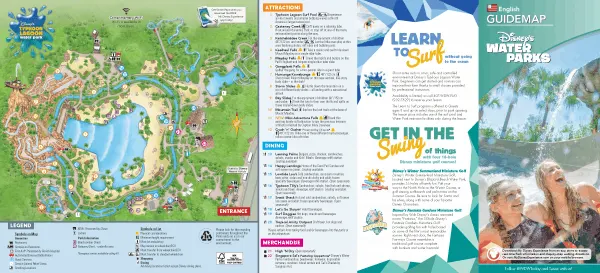
Typhoon Lagoon Map
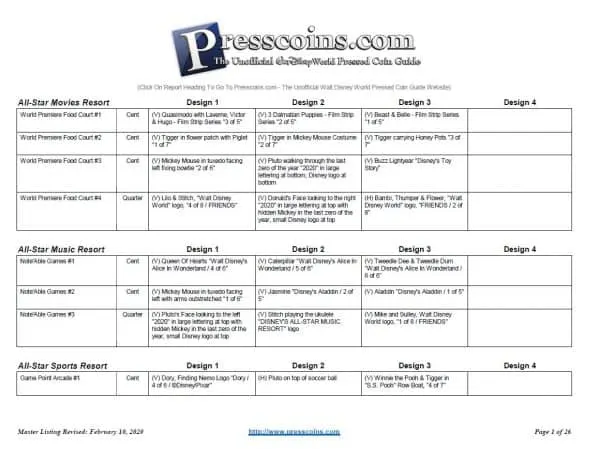
Pressed coin machine machine locations
Presscoins.com has lists of all the pressed coin machines throughout the Walt Disney World Resort.
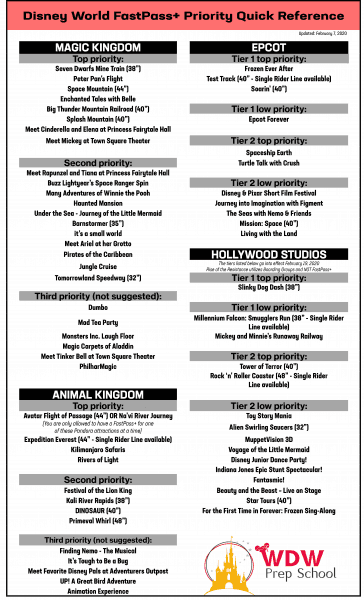
FP+ Quick Reference
Digital binder option: Save the image below to your phone.
Kim
Tuesday 1st of March 2022
You suggest to print off your icalendar or google calendar since dates are already entered on there. Where is your icalendar to print off? I can only find the crowd calendars. Thanks!
Tiffany
Monday 29th of November 2021
Waited until the last minute and then decided I maybe should plan something... so glad I found this site. Thank you for all of your help it may have saved our Christmas trip!
Troy Stanley
Monday 3rd of May 2021
Jambo House map is not working. ;)
Shannon Albert
Tuesday 4th of May 2021
That's been fixed. Appreciate the heads up.
Maraline Freeman
Monday 5th of October 2020
Wow! Thank you so much for all this together in one place! This makes this list maker/organizing Momma happy!
Jenna
Thursday 22nd of February 2018
Is there a way to dlownload these all at once?
Shannon Albert
Thursday 22nd of February 2018
No, there isn't. Many/most of them link out to external sources that are updated all the time. Best to just snag the downloads you find useful.